
How to set up and use Fathom Analytics
Fathom Analytics is a simple-to-use, privacy-first Google Analytics alternative. Our software saves you time because it’s one page (instead of thousands of pages of reports).
Let’s go through how to set up and use our website analytics software from start to finish.
Step oneAdd our script to your site
To start collecting data on your site, blog, ecommerce store or web application, just add our light-weight embed code to your header. That’s it.
Quick setup Free for 30 days No obligationYou can add our embed code manually, via our WordPress plugin, or through any of our other integrations.
<script src="https://cdn.usefathom.com/script.js" data-site="YOUR-SITE-ID" defer></script>Optionally, you can add additional features
- Block your own visits, through IP blocking or via your console.
Step twoGet to know your dashboard
Once your embed code has been added, you can instantly start viewing data on your dashboard. The dashboard is the centre of our software and is a single page of valuable data.
You can see totals, pages, referrers, conversions, campaigns, devices, countries, browsers and more. You can also switch to all sites view to see all your sites simultaneously.
Quick setup Free for 30 days No obligation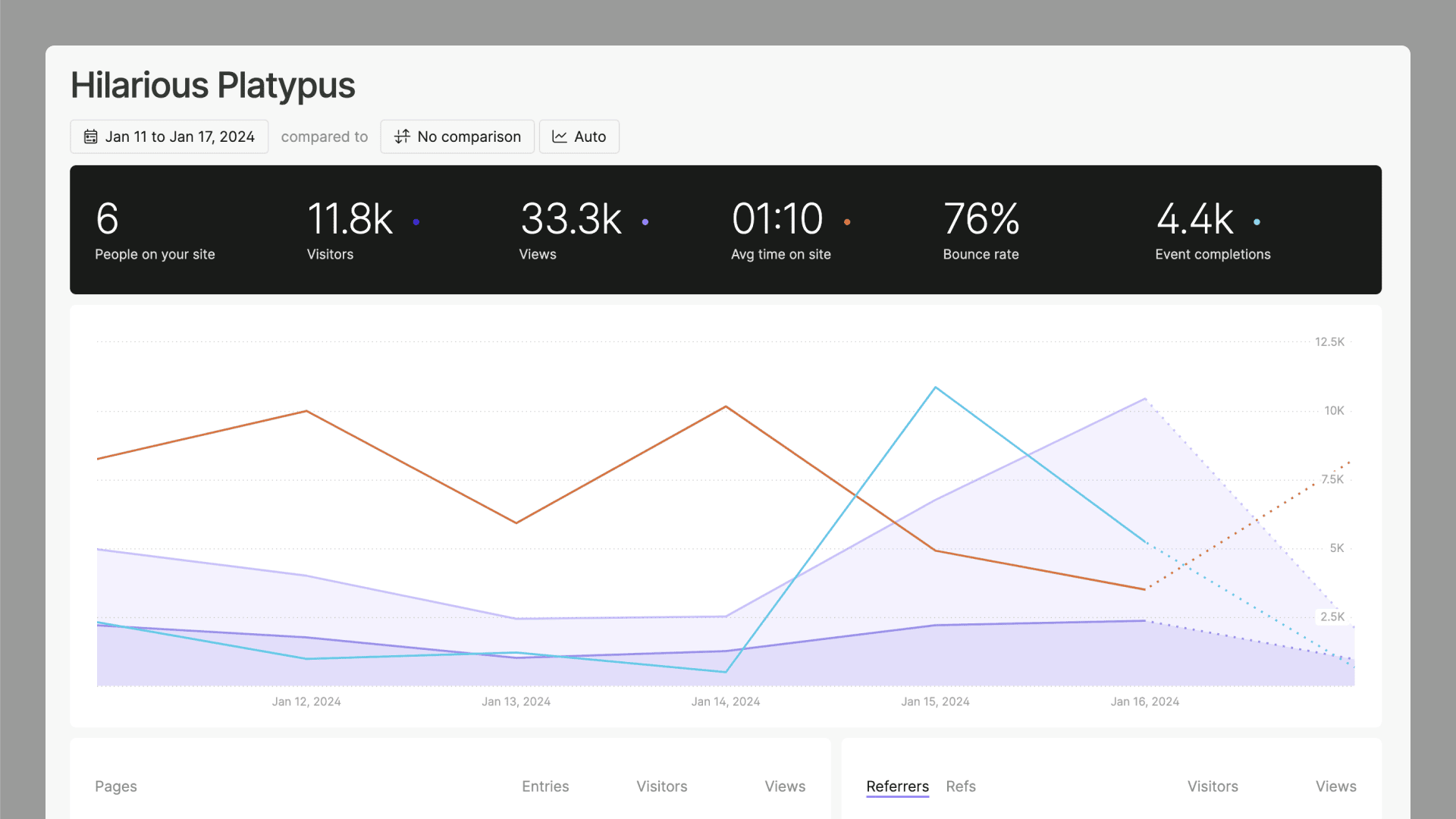
Example of a dashboard.
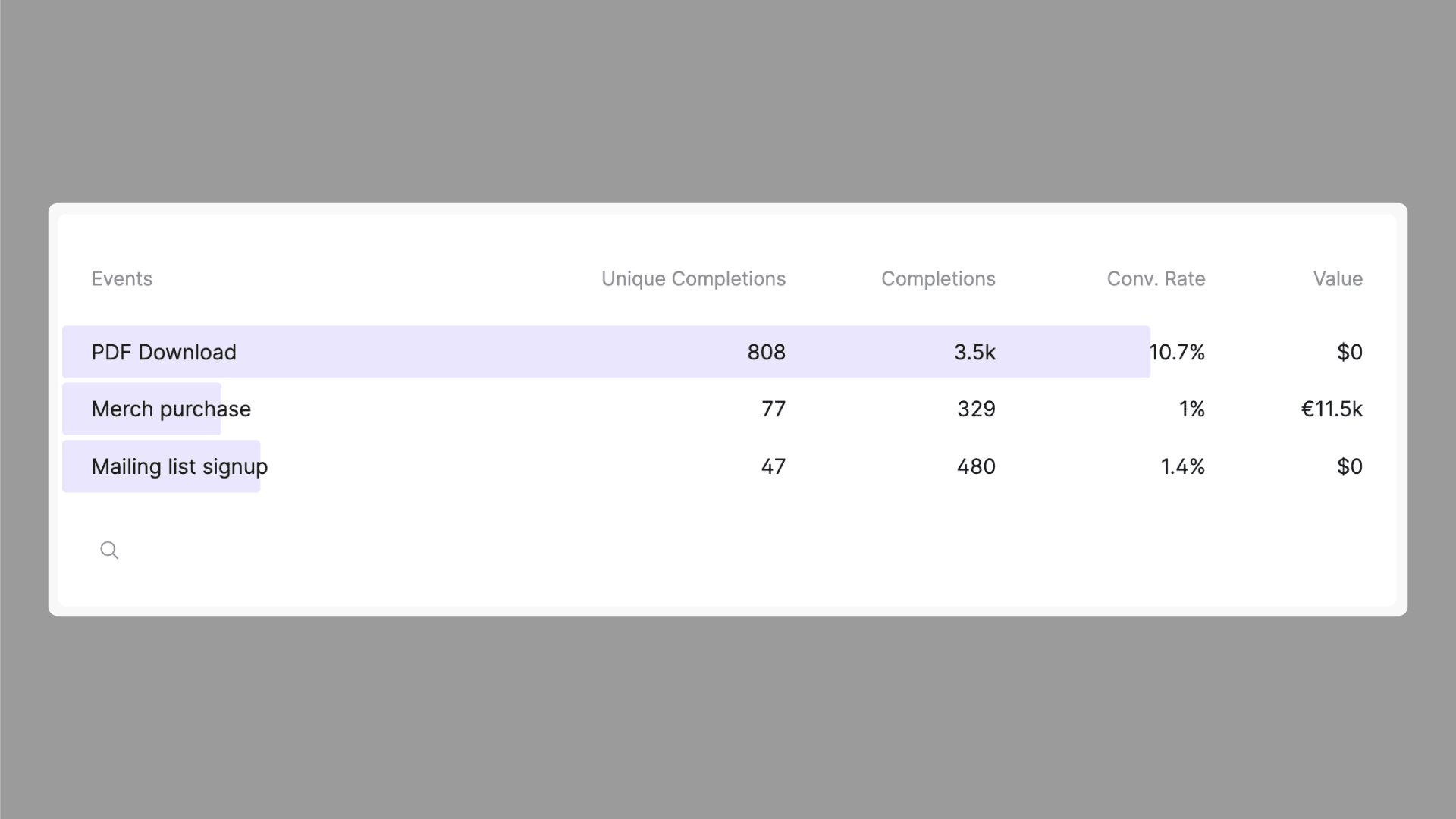
Example of events created within our software.
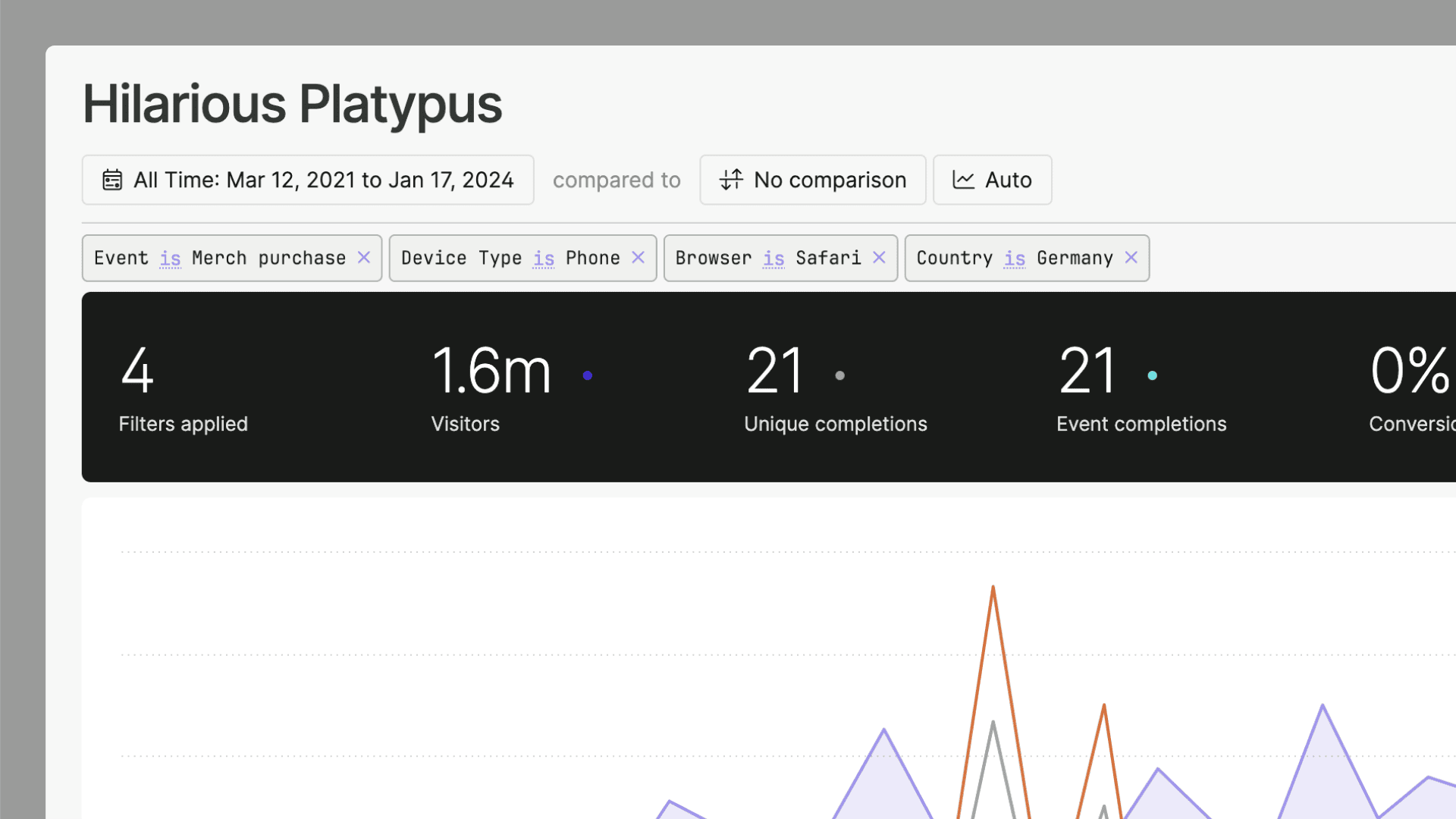
Example of filters applied to a dashboard.
Optionally, you can also
- Import your historical data from Google Analytics.
Step threeEmail reports
With data showing up on your dashboard, you can now send yourself or anyone else either weekly or monthly email reports. Send a single site, multiple sites, or even all sites on your account - to yourself or anyone else. That way, you can get an overview of your analytics without logging into your account.
Quick setup Free for 30 days No obligation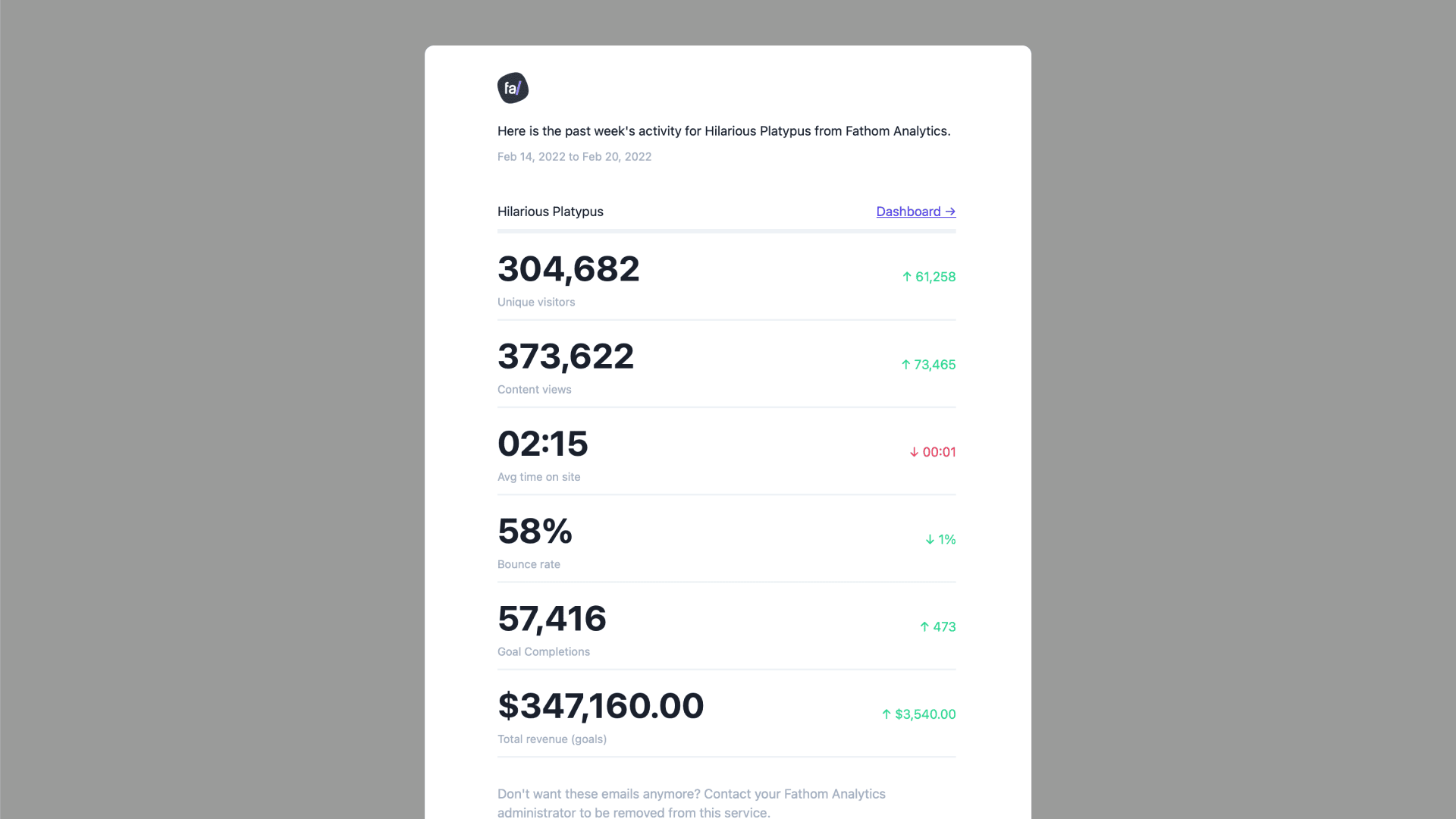
Example of an email report for a single site.
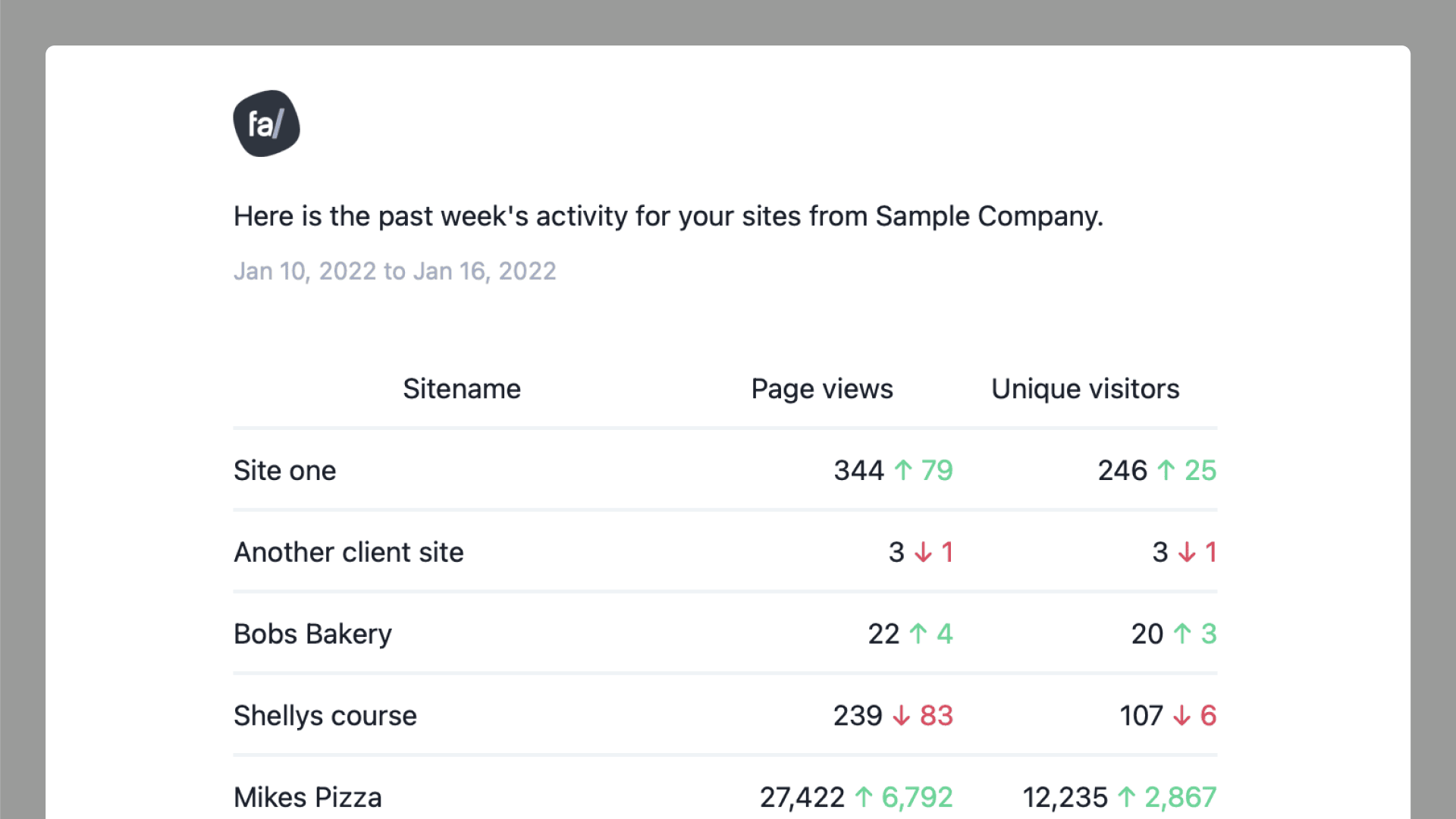
Example of an email report for multiple sites.
There is no step four
We’ve very purposefully made software that’s incredibly easy to sign up for, set up, and then use. You can go from starting a free trial to seeing stats show up on your dashboard within a few minutes.
Just a few of the companies already using Fathom Analytics





Fathom Analytics is a great GA alternative because it is focused on protecting visitors’ privacy and does not bog down loading times.
Nathalie Lussier
Founder of AccessAlly.com
I value my time and my website visitors’ right to digital privacy. That’s why I’ve switched to Fathom Analytics.
Marshall Shorts
Founder of Artfluential
Privacy-protections aside, I love the beautifully simple interface. Fathom Analytics is now part of my default stack.
Derrick Reimer
Founder of SavvyCal
